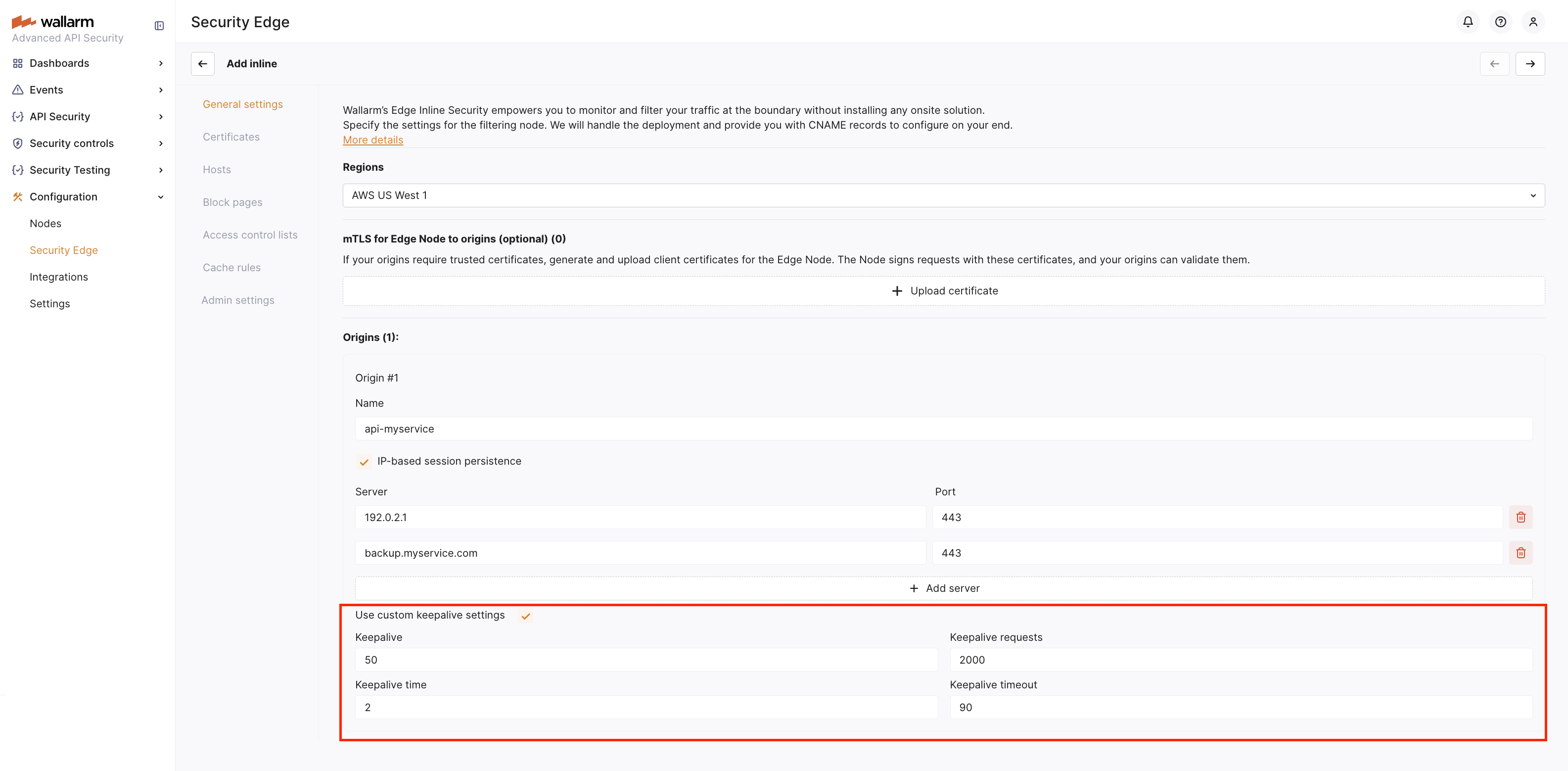
Custom Keepalive Settings  

Keepalive settings control how upstream connections are reused to improve performance in Edge Inline deployments.
Requirements
Keepalive settings are supported starting from Edge Node version 6.7.4-1.
How it works
These settings define the behavior of idle connections between the Edge Inline Node and the protected origin servers. By reusing TCP connections, they reduce connection overhead and improve response times for repeated requests.
The Edge Inline deployment uses the following keepalive settings:
| Setting | Description | Default |
|---|---|---|
keepalive | The maximum number of idle keepalive connections to upstream servers that are preserved in the cache of each worker process. More details | 32 |
keepalive_requests | The maximum number of requests that can be served through one keepalive connection. After the maximum number of requests is made, the connection is closed. More details | 1000 |
keepalive_time | The maximum time during which requests can be processed through one keepalive connection. More details | 1h |
keepalive_timeout | A timeout during which an idle keepalive connection to an upstream server will stay open. More details | 60s |
Using custom keepalive settings
If needed, you can enable custom keepalive settings and adjust their values to fit your workload.
When configuring custom keepalive settings, it is important to choose values carefully to avoid exhausting server resources. Consider the following points:
-
Reducing
keepalive_timeoutcan free up resources, but it may reduce the benefits of TCP connection reuse. -
Increasing
keepalive_requestsallows more requests over the same connection but keeps connections open longer.
Keepalive may not be suitable in these cases:
-
The server has limited memory resources.
-
The website handles a very high number of clients with few repeat requests, where connection reuse provides little benefit.